Files, code and rich messages
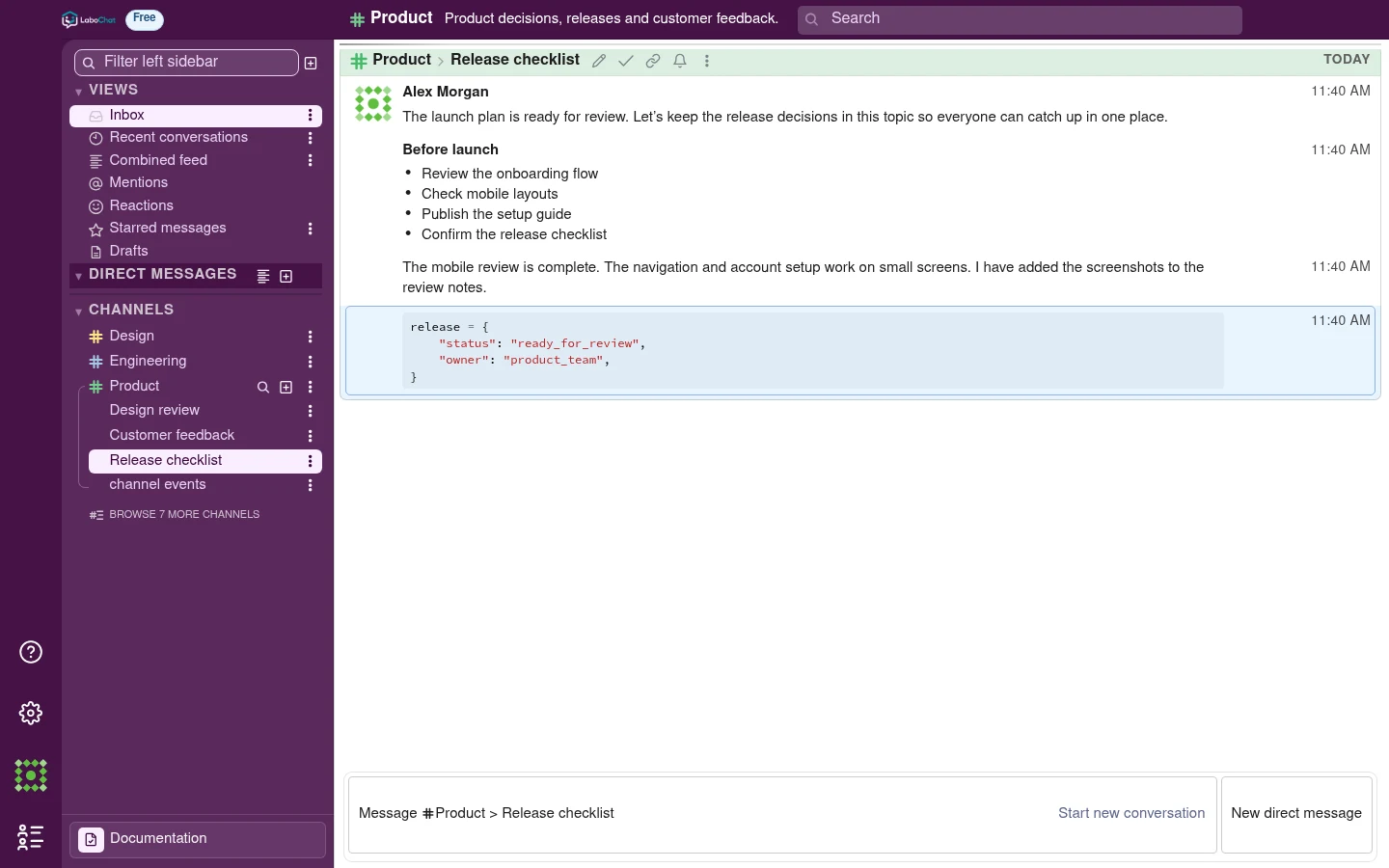
Share files and images next to the discussion. Use code blocks with syntax highlighting, lists, links, quotes and polls to keep technical and organizational conversations readable.
 LaboChat
 features
Use channels and topics for day-to-day discussions. Turn selected messages into documentation and work with GitHub repositories and supervisor-led quizzes.
Separate teams and projects into channels. Use topics for individual discussions, so several conversations can move forward together.
Create a channel for a team or project, then give each discussion its own topic. Parallel conversations stay separate and you can return directly to a decision without reading the whole channel.
 Enlarge screenshot
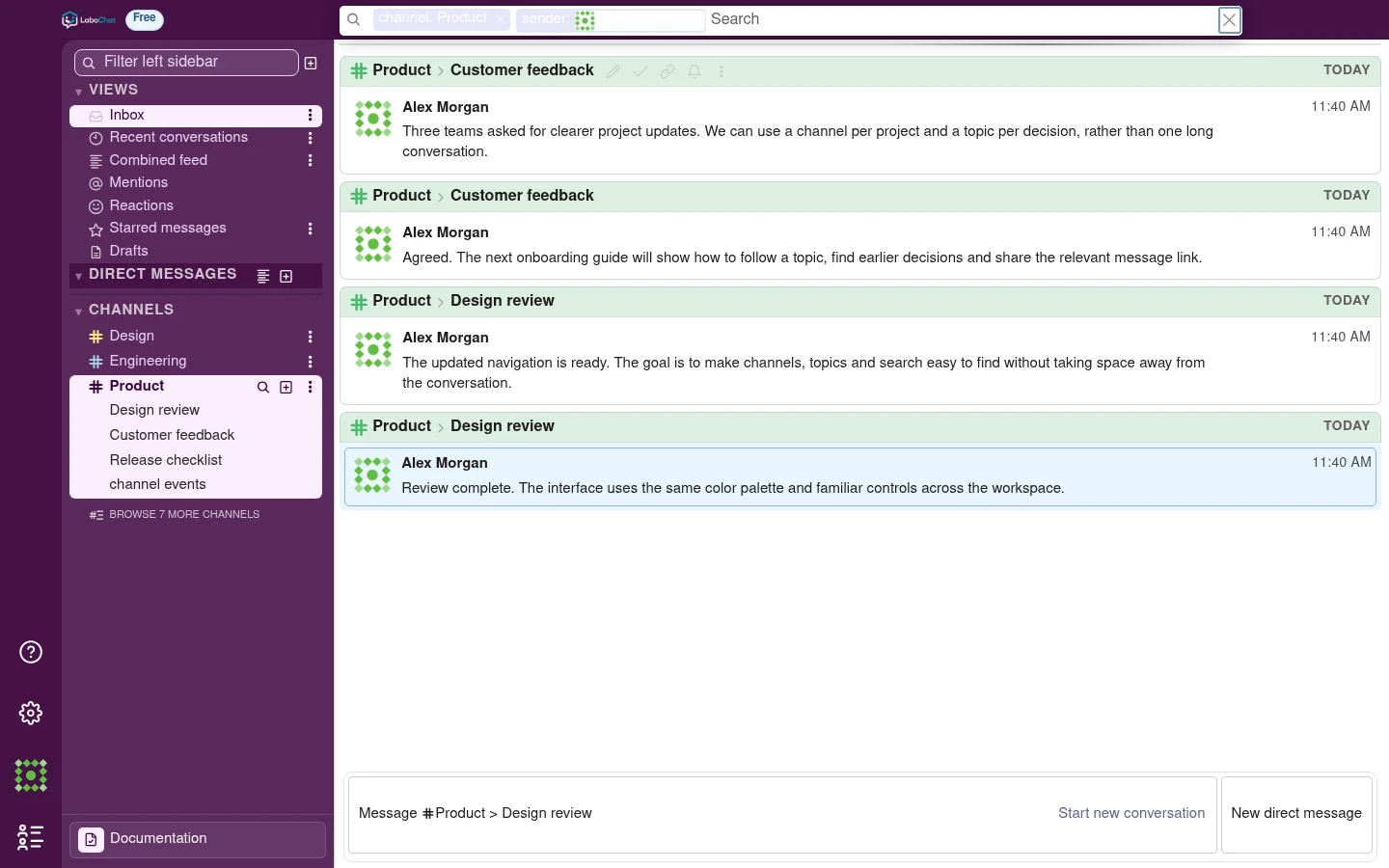
Return to decisions, shared files and their original context. Free includes 180 days of message history; Pro includes unlimited history.
Filter messages by channel, topic, author or date. Search for attachments, mentions and saved messages. Open a result in its original conversation to see what led to the decision.
 Enlarge screenshot
Share files and images next to the discussion. Use code blocks with syntax highlighting, lists, links, quotes and polls to keep technical and organizational conversations readable.
Use your inbox and recent conversations to catch up. Follow or mute individual topics, tune notifications and save important messages. Direct and group messages handle smaller conversations.
Choose public or private channels, invite teammates and manage organization roles. Administrators control who can join, create channels and manage other members.
Keep updates from your other tools in project channels, next to the discussions and decisions they relate to. Your team can follow what has changed without switching between apps.
The conversations, repository and learning materials for a project stay in the same app.
Mark useful messages with flags and use them as source material for project documentation. Supervisors can edit versions and work with Word document imports and exports.
Use GitHub project files and activity alongside your team’s conversations. Keep documentation, project questions and supervised learning connected to the work in the repository.
Create project and theory questions from repository material. Supervisors can review questions before publication, set deadlines and see results. Students answer their assigned tests in the app.
Mention the AI assistant in a topic or send it a direct message. Ask a question, work through an idea or get help drafting a response without leaving your team’s conversation.
Create a channel and give the first conversation a topic.