Channels for projects
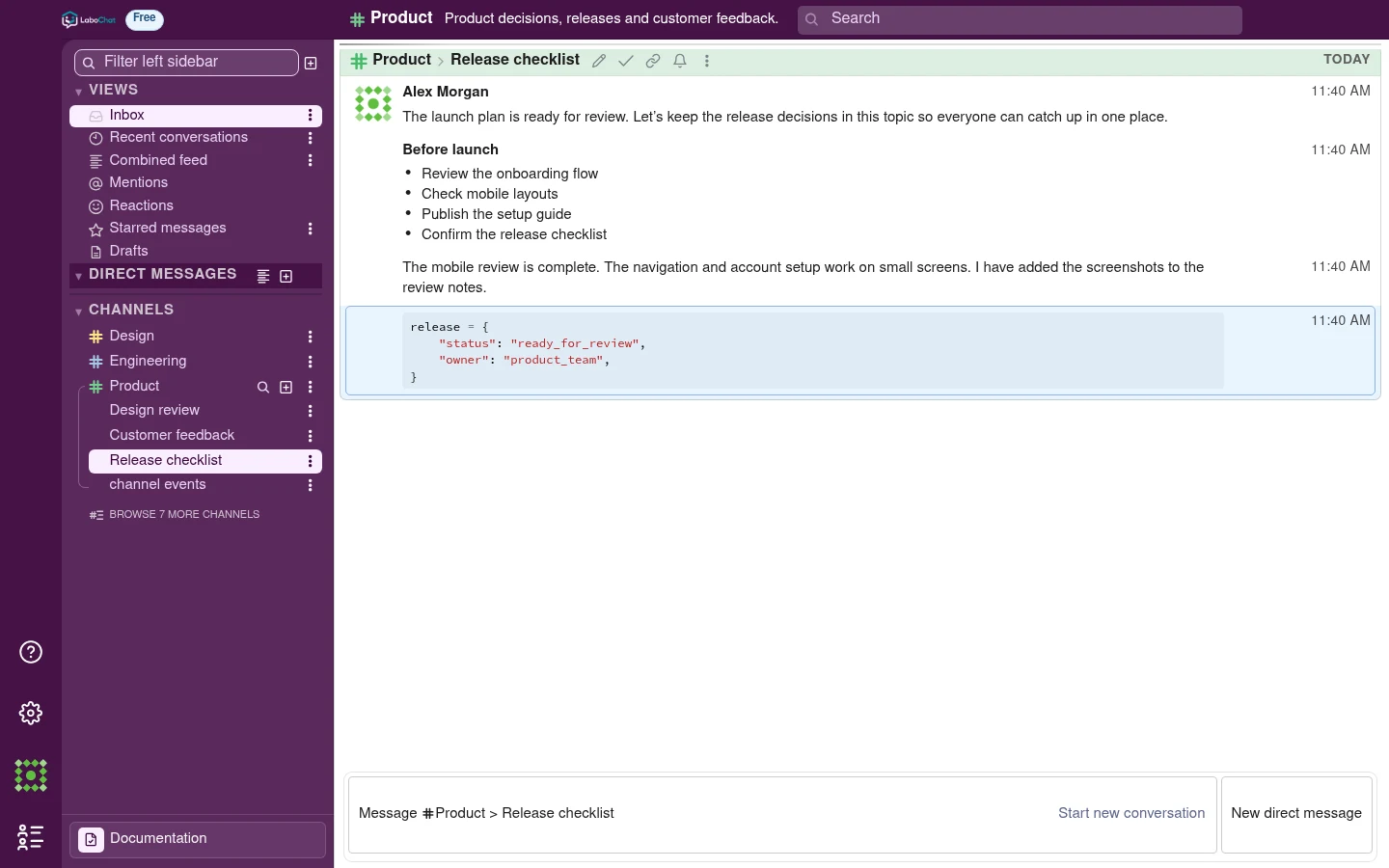
Each project, team or class has its own channel, with the relevant people and conversation history in one place.
 LaboChat
Team communication
Give each project a channel and each discussion a topic. Keep decisions, files and project documentation alongside the conversation.
 Enlarge screenshot
Each project, team or class has its own channel, with the relevant people and conversation history in one place.
Releases, code reviews and customer questions have separate topics. Following and muting work at the topic level.
Search brings together messages by channel, topic, person and date, with the surrounding conversation just a click away.
Use the messages and repository behind a project to prepare documentation and learning materials.
Mark useful messages with flags and use them as source material for project documentation. Supervisors can edit versions and work with Word document imports and exports.
Use GitHub project files and activity alongside your team’s conversations. Keep documentation, project questions and supervised learning connected to the work in the repository.
Create project and theory questions from repository material. Supervisors can review questions before publication, set deadlines and see results. Students answer their assigned tests in the app.
Mention the AI assistant in a topic or send it a direct message. Ask a question, work through an idea or get help drafting a response without leaving your team’s conversation.
Compare member limits, message history and the AI assistant.
PLN 0forever
A good start for a small team that wants to organize conversations and projects.
Create a free organizationPLN 29per person / month
More room for your team, unlimited message history and an AI assistant in your conversations.
Try ProPrices are shown in PLN. Have a question about Pro? Get in touch.
Conversations, decisions and project knowledge, together in LaboChat.